Trax
Multitrack playback and show control for live bands
Trax is currently in early access. Get in touch if you want to try it with your band.
How it works
Trax brings three roles together into one show — all devices on the same band Wi-Fi:
-
Show PC
The laptop or computer that runs Trax and actually plays the music. Whoever sits at this machine automatically has full control.
-
Master
A tablet or laptop on the same Wi-Fi that remote-controls the show: play/stop, setlist, mixer, editing. Only one master can be active at a time.
-
Follower
A tablet for band members that passively displays the chords for the song currently playing — with no access to transport or mixer.
Also works as a digital songsheet
Trax doesn’t only show lyrics and chords during the show: through the songbook you can pull up the same songs and shared setlists even when the show PC isn’t running — handy for practicing at home or reviewing the songs for the next gig on the go.
The songbook runs in the browser on any device — tablet, phone or laptop, no particular device required. Anyone set up as a master can even build their own setlists there and publish them for the whole band.
More about the songbook →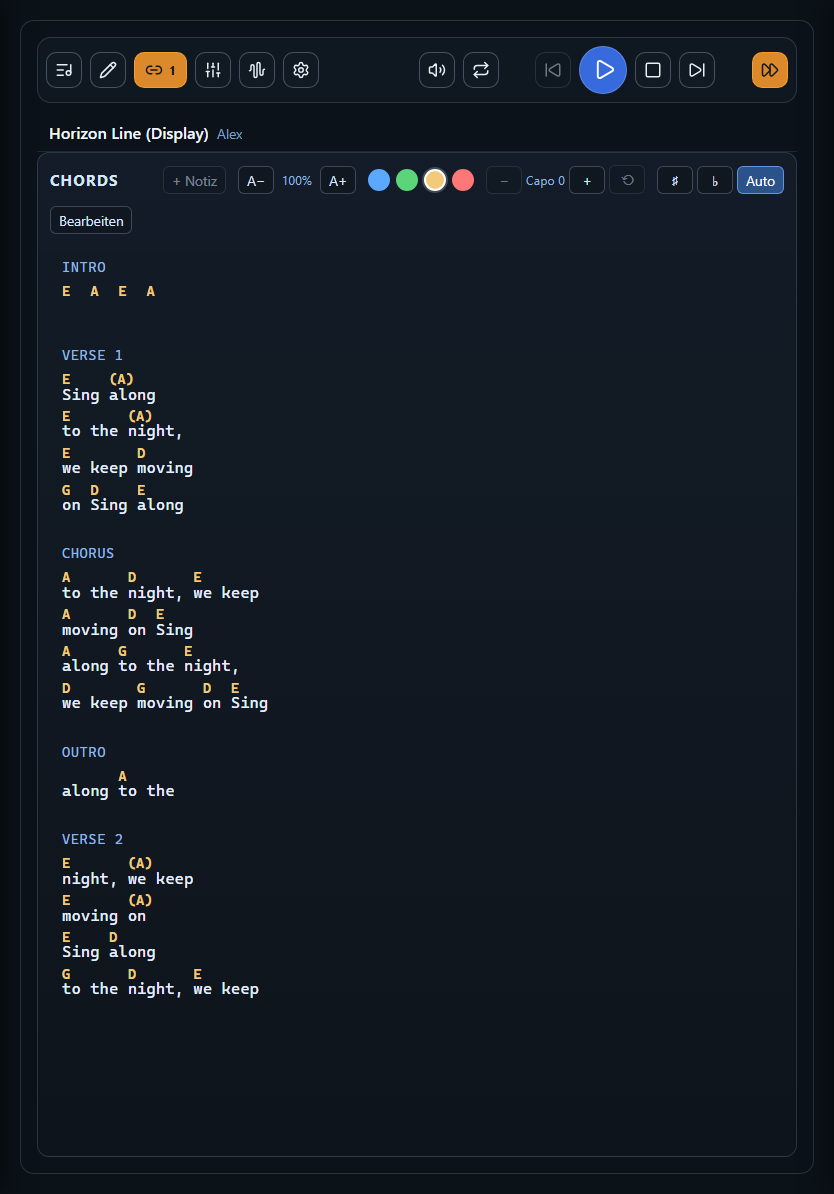
What Trax does
-
Live screen
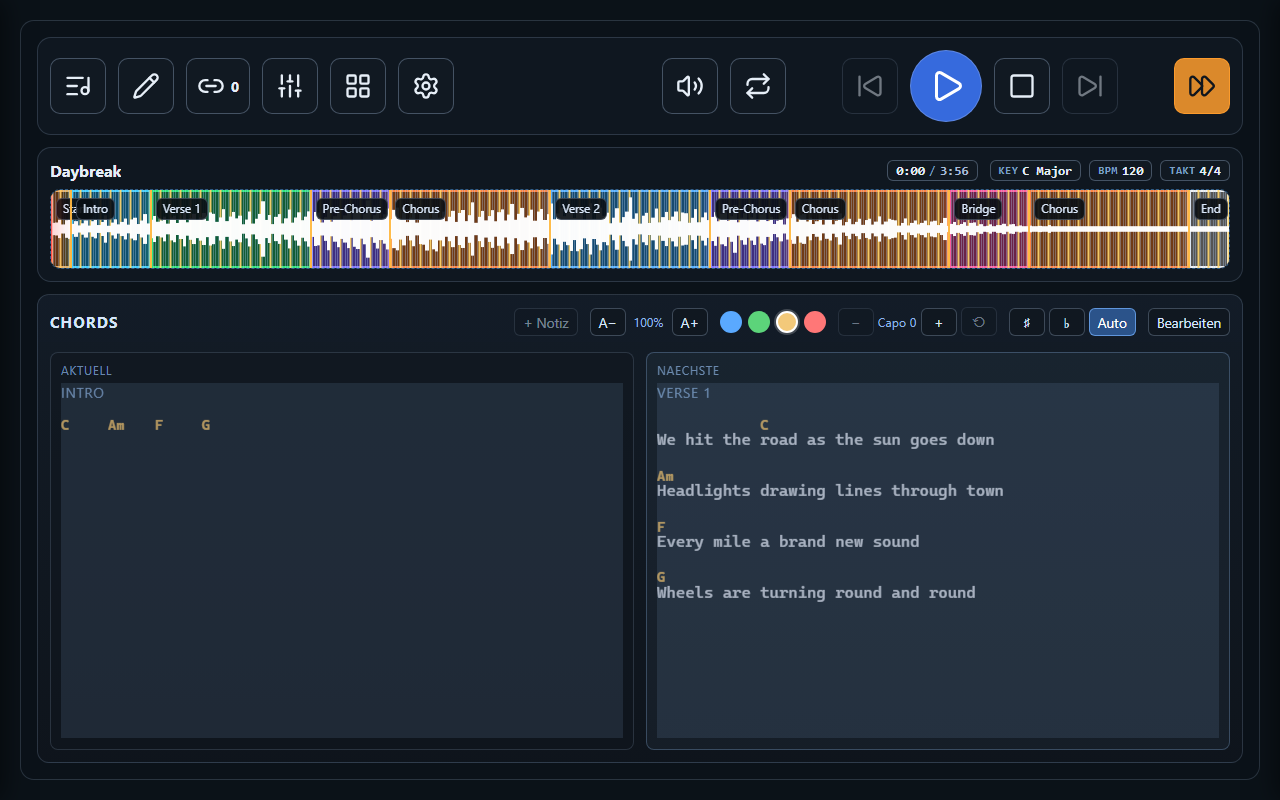
Transport, waveform with song sections, chords and automatic voice cues — the control center of your show.
Learn more → -
Mixer
One channel strip per track, plus master, click and cues — with mute and solo, even while the song is playing.
Learn more → -
Setlist & library
Tonight’s show in playing order, backed by your band’s complete song library.
Learn more → -
Remote control on band Wi-Fi
A master tablet runs the show, follower tablets display chords — no internet connection needed.
Learn more →